
Documents and invoicing
How to create contracts, invoices, packing slips, and other documents for your bookings.
Document system
Fjellride includes a built-in document system for creating professional rental documents. You can generate contracts, invoices, packing slips, and custom documents directly from bookings.
Document types
| Type | Use case |
|---|---|
| Contract | Rental agreement for the customer to sign |
| Packing Slip | Checklist of items included in the booking |
| Order Summary | Overview of the booking for internal or customer use |
| Invoice | Formal invoice for payment records |
| Receipt | Proof of payment |
| Custom | Any other document you need |
Creating document templates
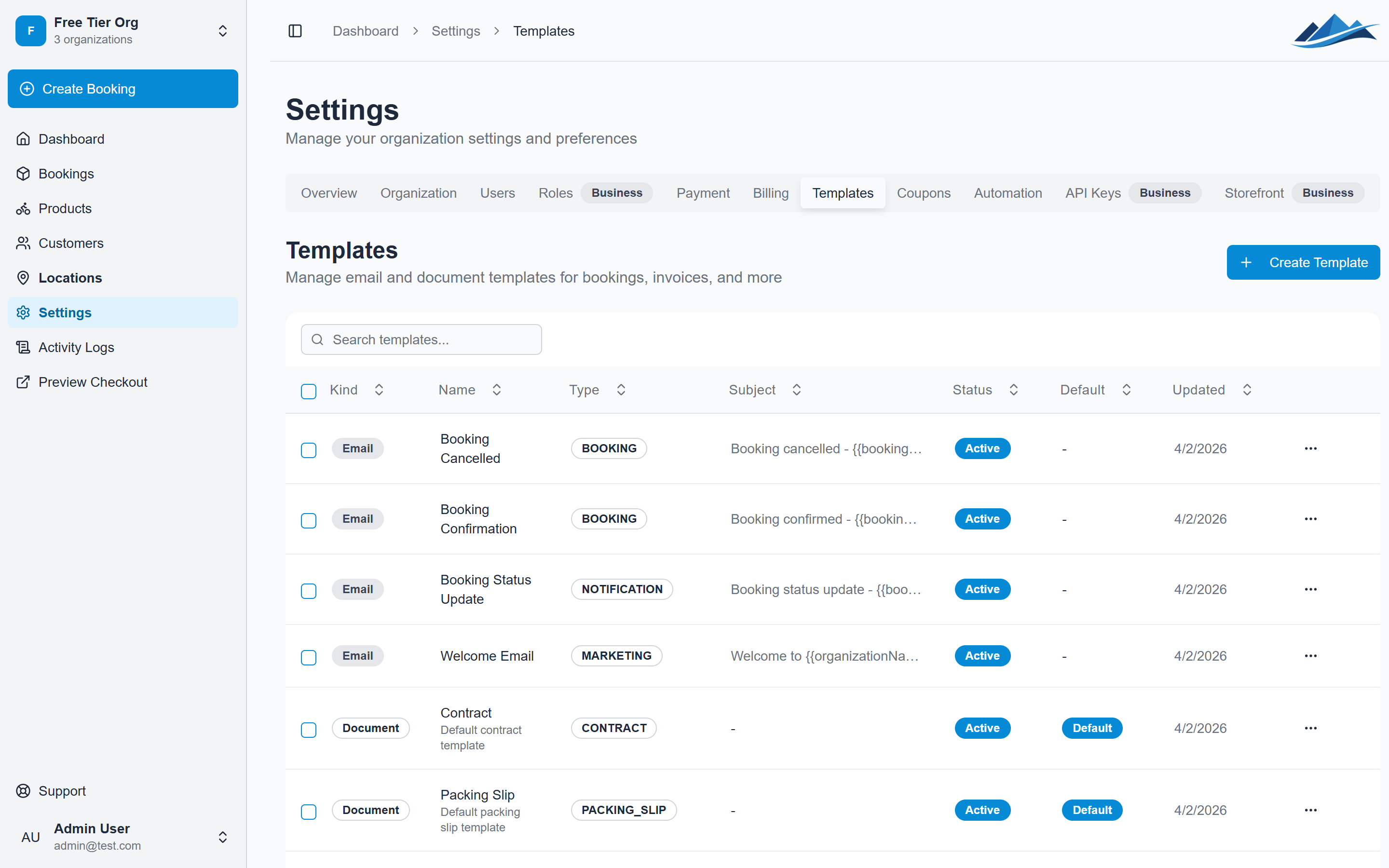
Before you can generate documents, create a template:
- Go to Settings → Document Templates
- Click Create Template
- Choose the document type
- Design your template using the editor
- Add variables (see below) for dynamic booking data
- Choose the paper size (A4, A3, Letter, or Legal)
- Save the template
Template variables
Document templates support variables that are automatically filled with booking data when generated. This includes customer details, booking dates, product lists, pricing, and more.
You can define custom variables in the template settings for additional flexibility.
Generating a document
- Open a booking
- Navigate to the Documents section
- Click Generate Document
- Select a template
- Review and confirm
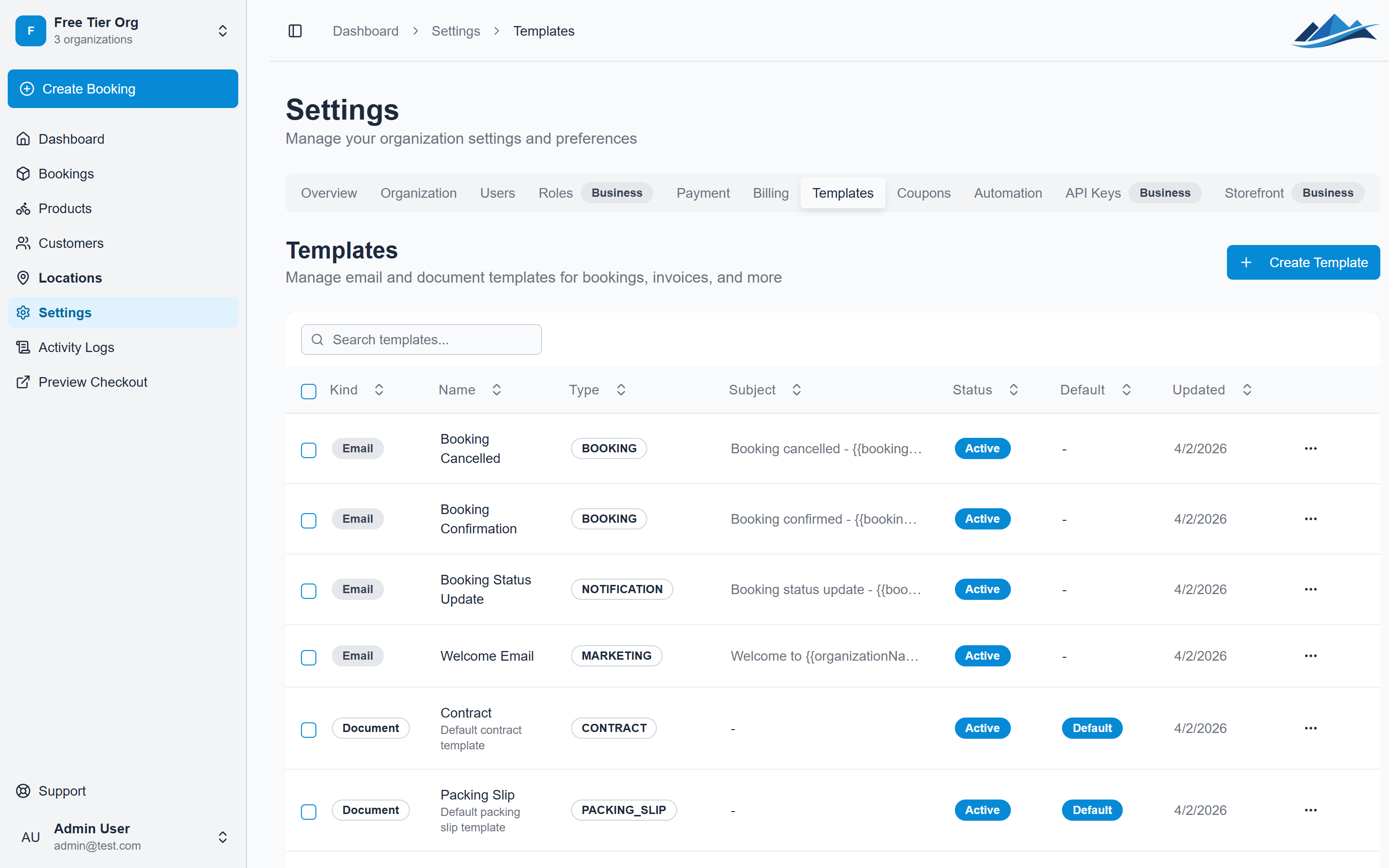
The document is rendered as HTML and can be viewed in the browser, printed, or shared with the customer via email.
Sending documents with emails
When sending an email from a booking, you can attach up to 10 generated documents. The documents are included as rendered HTML content in the email body.
To send a document:
- Open the booking
- Click Send Email
- Select an email template
- Check the documents you want to attach
- Send
Public document links
Generated documents can be shared via secure public links. Each link includes a unique token that expires after 30 days.
Customers can view the document in their browser without needing to log in.
Automation
You can set up automation rules to generate documents automatically when booking events occur. For example:
- Generate a contract when a booking moves to Reserved
- Generate a packing slip when the booking moves to Picked Up
- Generate and email an invoice when the booking is complete
Document automation actions include:
- Generate — create the document silently
- Generate and Email — create the document and send it to the customer immediately