
Plans and billing
What each Fjellride plan includes, feature limits, and how to upgrade or manage your subscription.
Fjellride plans
Fjellride offers three subscription tiers. Each plan unlocks more capacity and features as your business grows.
Plan comparison
| Feature | Free | Business | Enterprise |
|---|---|---|---|
| Locations | 3 | Unlimited | Unlimited |
| Products | 10 | 100 | Unlimited |
| Regions | 2 | 15 | Unlimited |
| Automation rules | 5 | 25 | 50 |
| API access | No | Yes | Yes |
| Custom roles | No | Yes | Yes |
| Storefront branding | Yes | Yes | Yes |
| Platform fee | 3.4% + 4 kr | 2.4% + 3 kr | 2.4% + 3 kr |
Locations and regions included
Each plan includes a base number of locations and regions at no extra cost:
- Free — 1 location, 2 regions included
- Business — 25 locations, 10 regions included
- Enterprise — 50 locations, unlimited regions
Additional locations and regions beyond the included amount may incur metered charges on Business plans.
Free plan
The Free plan is a great starting point for small operators or those evaluating Fjellride. It includes:
- Up to 3 locations and 10 products
- 5 automation rules
- Storefront branding — your own logo, colors, fonts, and theme
- Full booking and customer management
- Stripe payment processing (3.4% + 4 kr platform fee)
Limitations
- No API access — you can't use API keys or build custom integrations
- No custom roles — all team members use the built-in roles
Business plan
The Business plan is designed for active rental operations that need more capacity and customization:
- Up to 100 products and unlimited locations
- API access for custom integrations
- Custom team roles with granular permissions
- Barcode scanning and label printing
- 25 automation rules
- Lower platform fee (2.4% + 3 kr)
Enterprise plan
The Enterprise plan removes all limits:
- Unlimited products, locations, and regions
- 50 automation rules
- All Business features included
- Priority support
Upgrading your plan
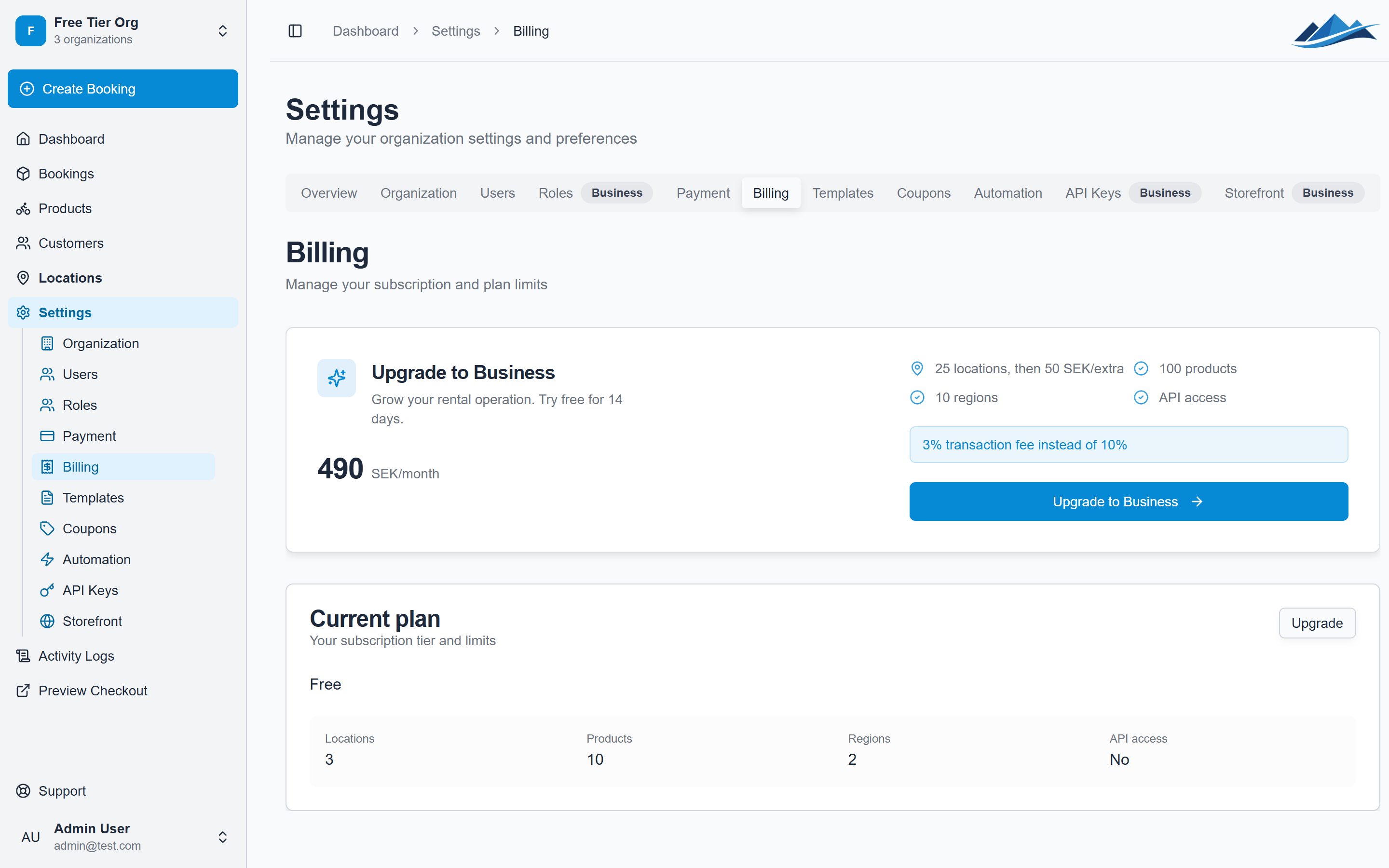
- Go to Settings → Subscription
- Click Upgrade
- You'll be redirected to Stripe Checkout to complete payment
- Your new plan is active immediately after payment
Subscriptions are managed through Stripe, so you can also:
- Update your payment method
- View billing history
- Download invoices
Managing your subscription
To access your Stripe billing portal:
- Go to Settings → Subscription
- Click Manage Subscription
From the Stripe portal you can change plans, update payment details, or cancel your subscription.
What happens when you downgrade
If you downgrade from a higher plan, features that exceed the new plan's limits will be restricted:
- Products over limit — existing products remain but you can't create new ones until you're within the limit
- Locations over limit — same behavior
- API keys — stop working on Free plan
- Custom roles — revert to built-in roles